Creating an Organization as a Coach - Quick Start
Create a New Organization in Zoho CRM
Learn how to create a new organization in Zoho CRM. This guide walks you through entering the organization's name, business details, and address to ensure accurate record-keeping.
1. Navigate to the CRM Home Screen, located at: https://crm.zoho.com/crm/org889112992/tab/Home/begin
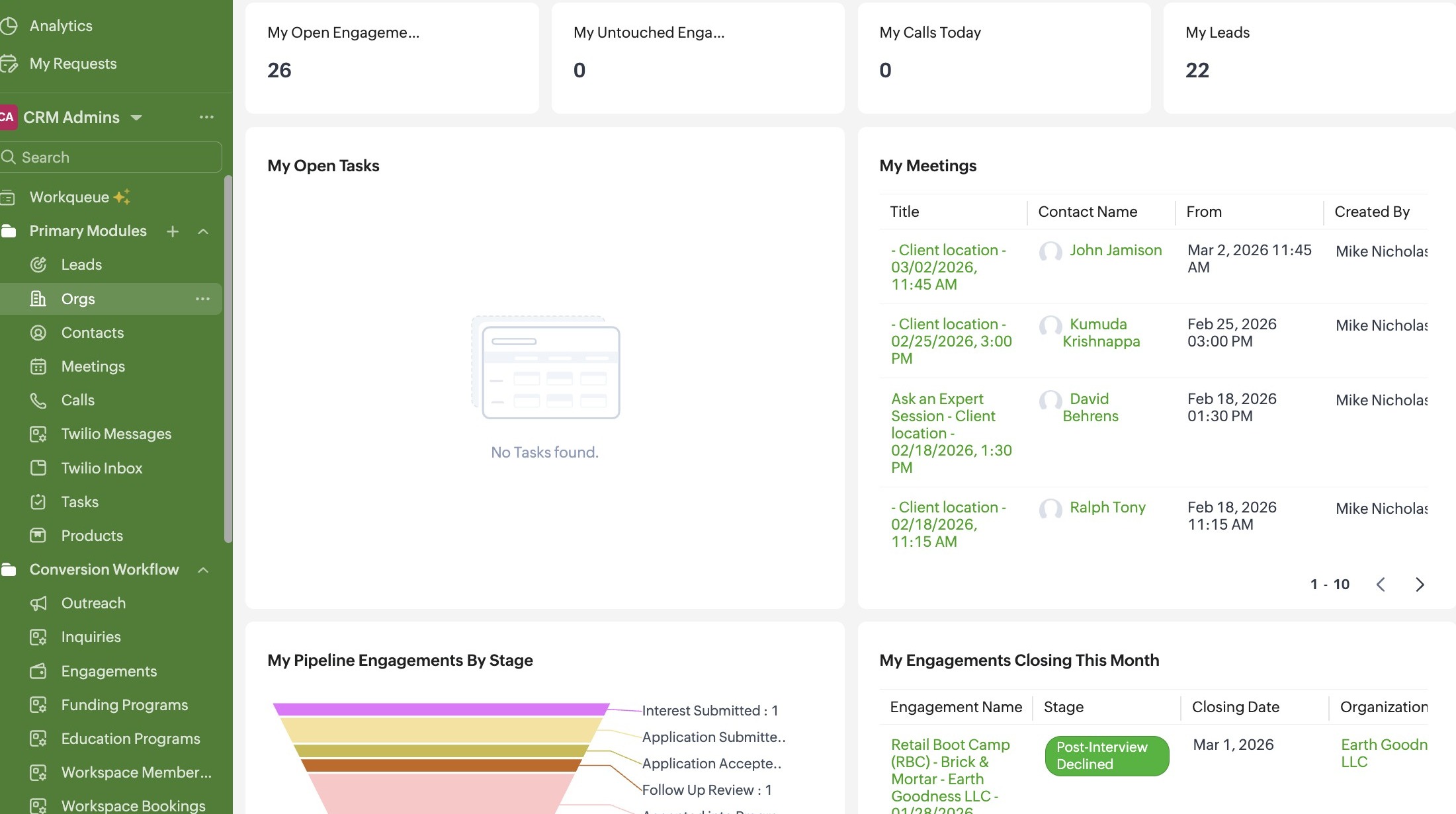
2. Click "Orgs"
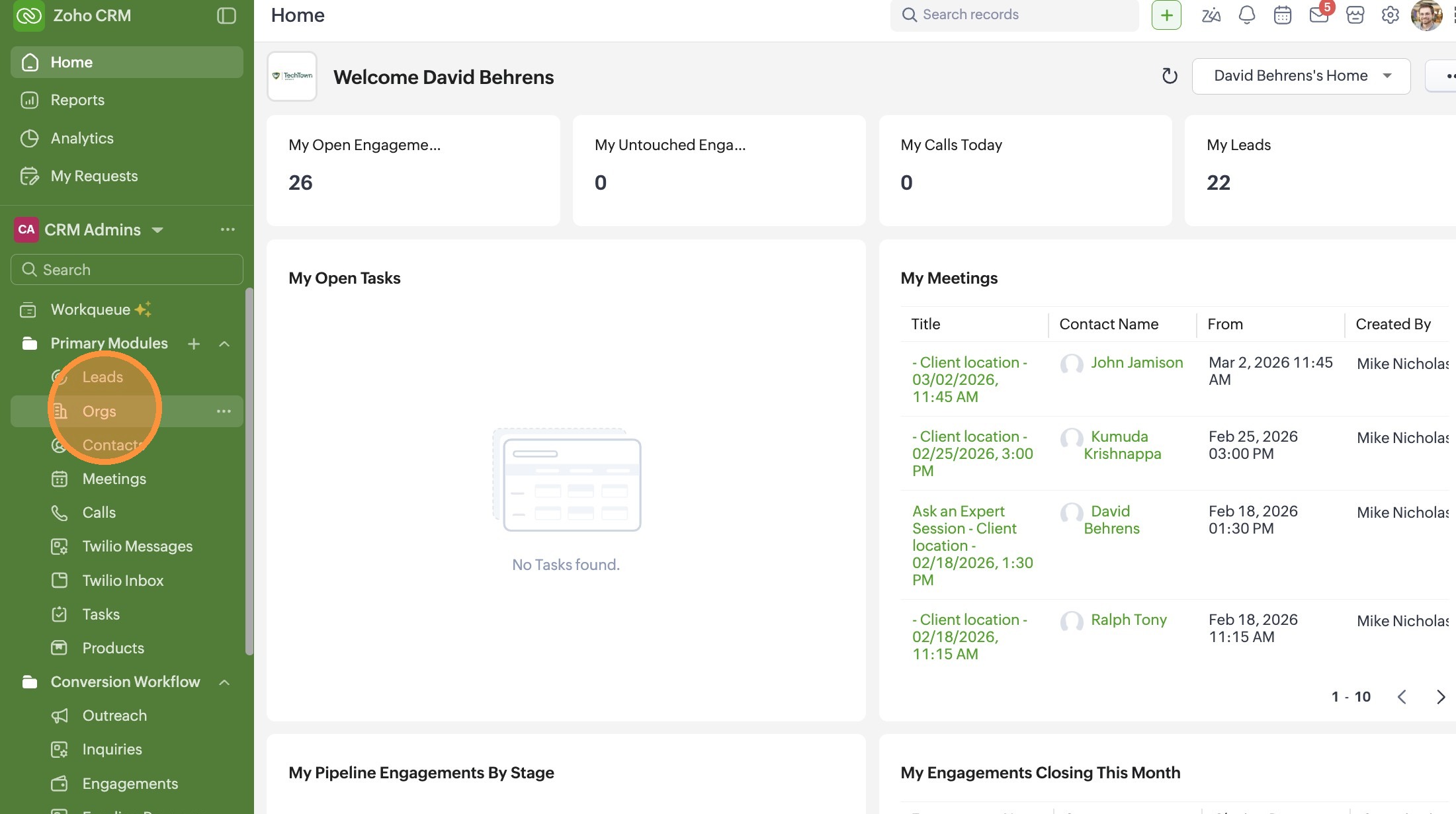
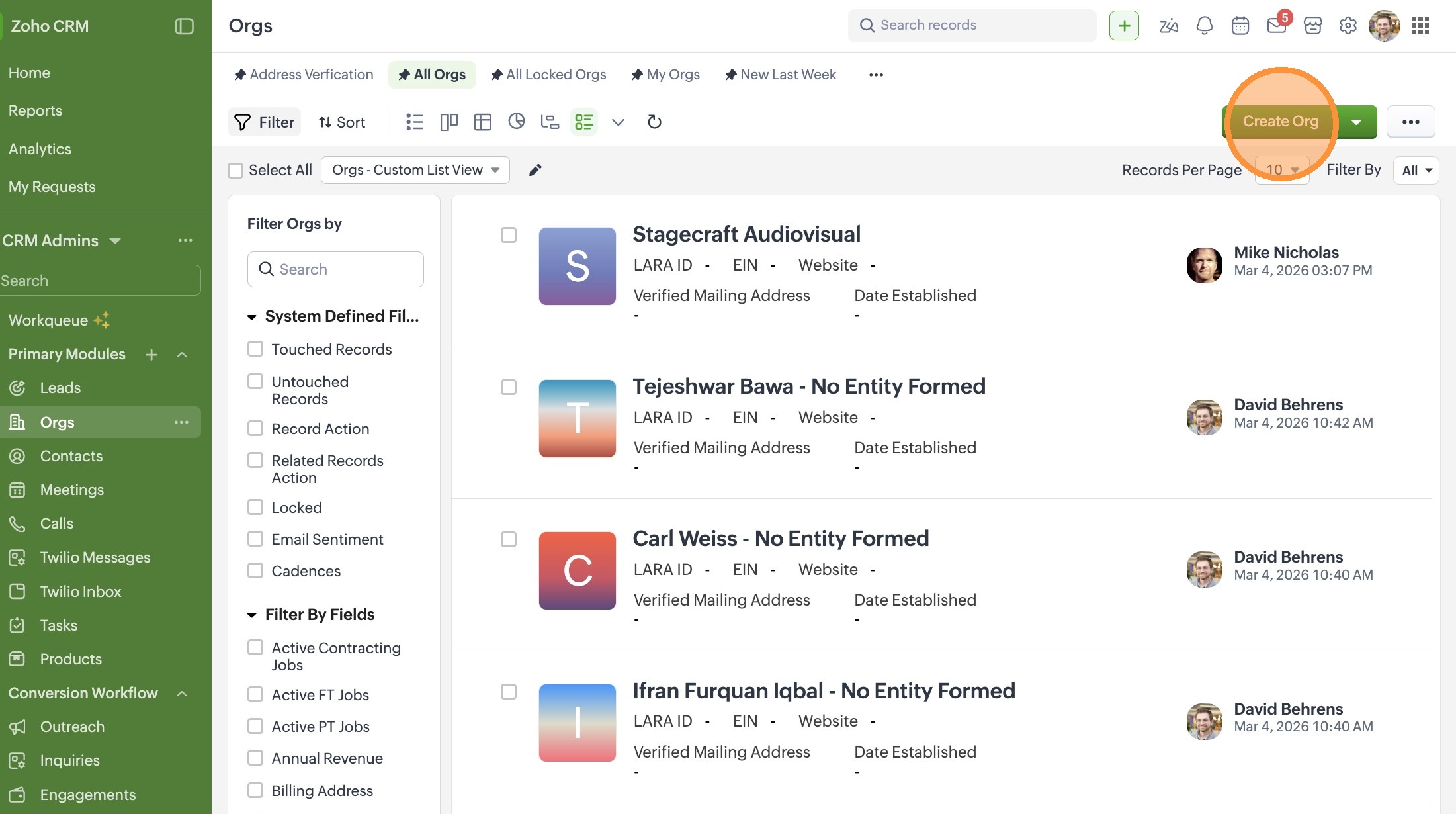
3. Click "Create Org"
4. Enter the Organization Name
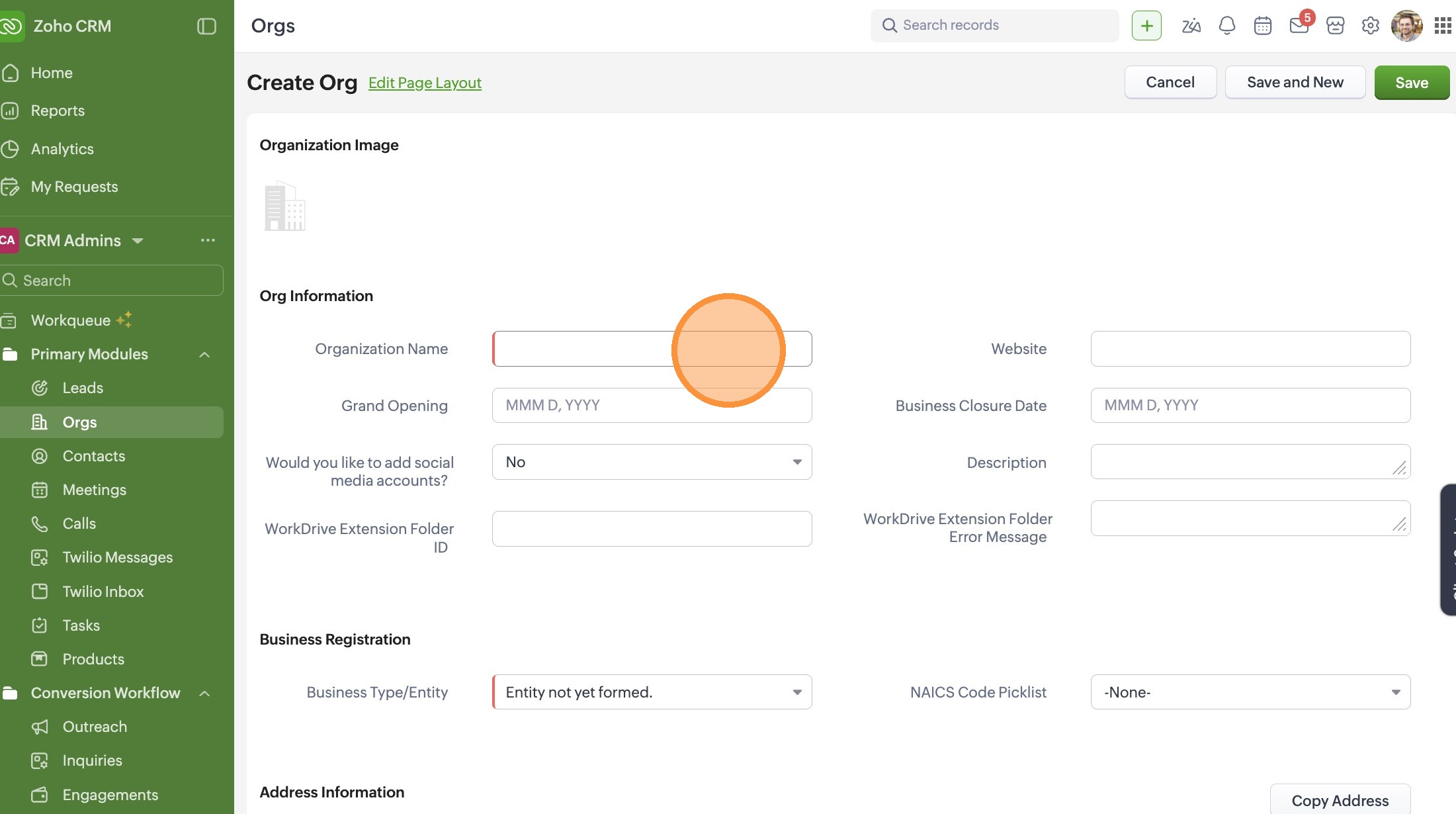
5. Select an Entity Type. If the organization isn't formed yet, leave the response as "Entity not yet formed."
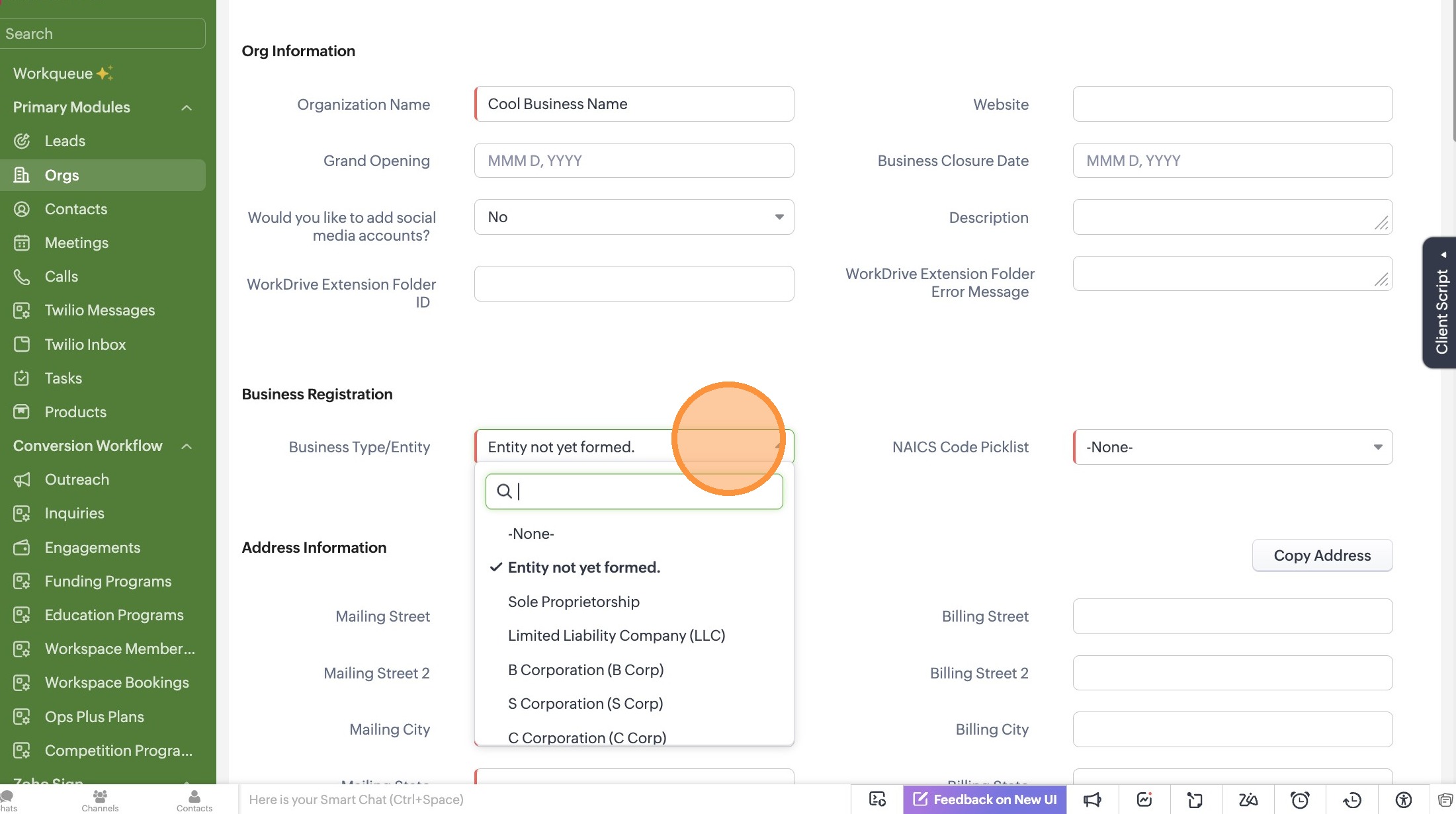
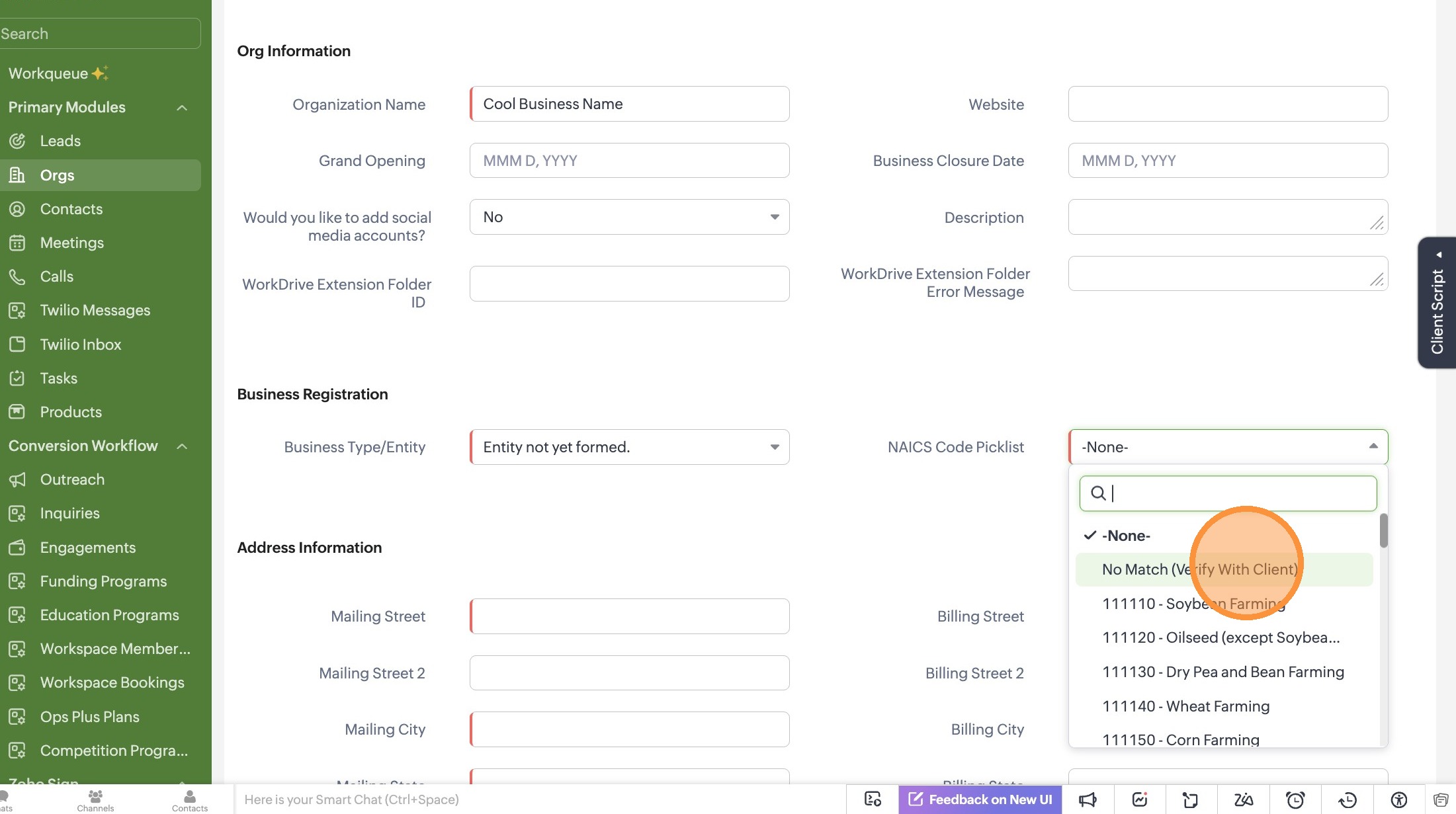
6. Search for an NAICS code by number or keyword. If you don't know which NAICS code to choose, select "No Match (Verify With Client)"
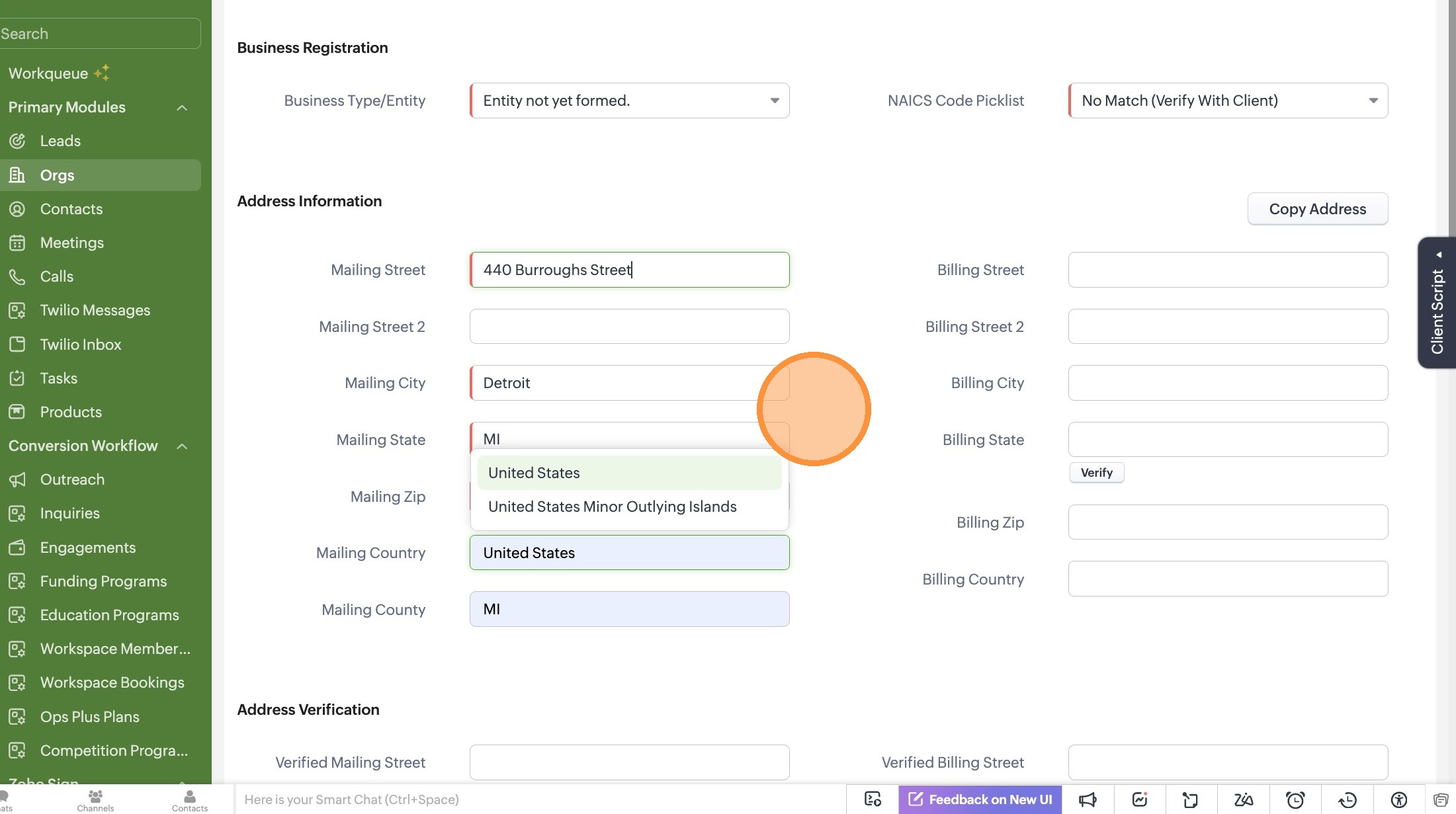
7. Add address information for the Organization. If the business does not have a formal address, please add the client's home address in this field.
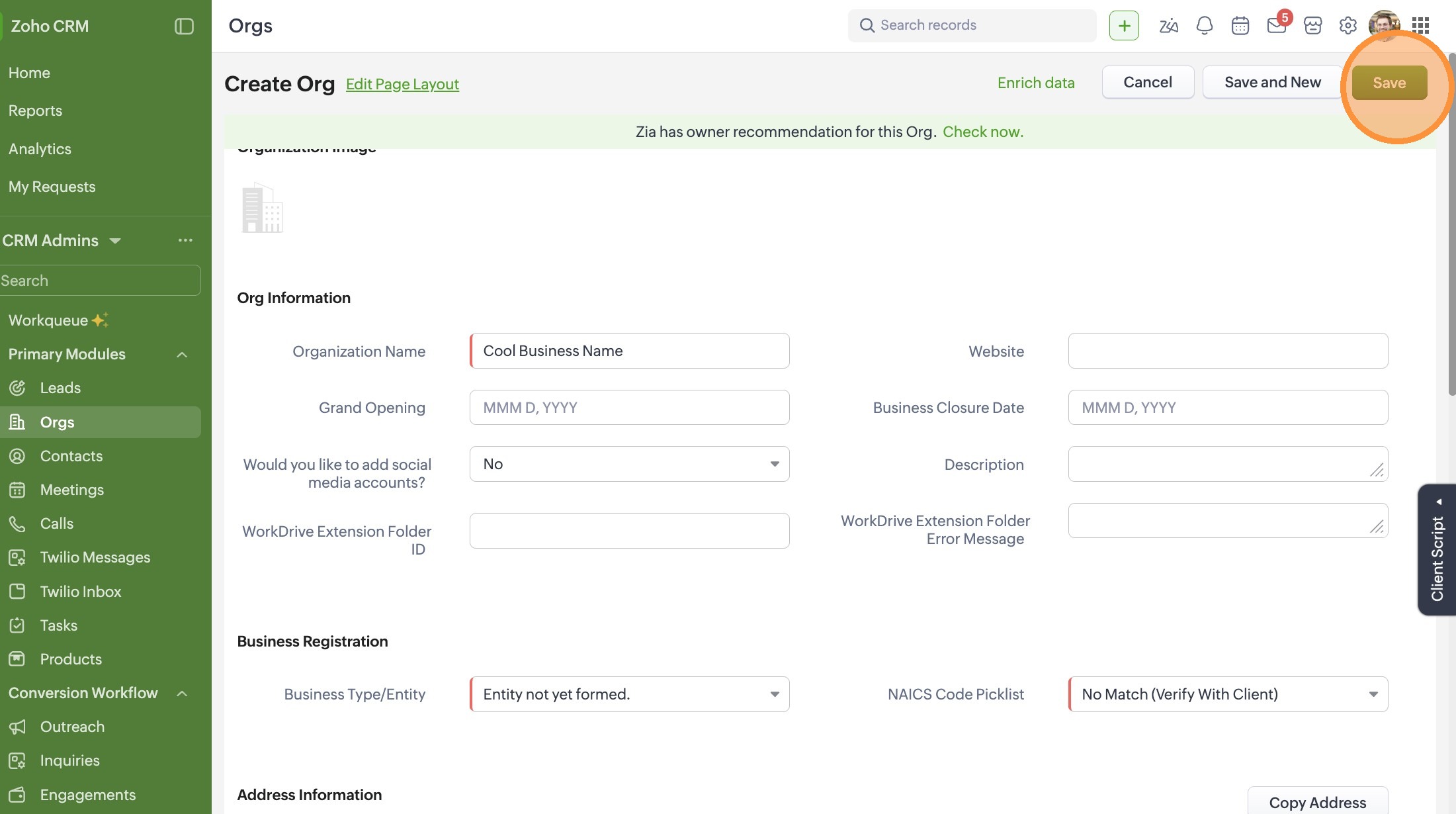
8. Click "Save"
Related Articles
Creating a Meeting as a Coach - Quick Start
Create and Schedule a Meeting in Zoho CRM Learn how to schedule a new meeting in Zoho CRM, including setting the time, location, and selecting participants. This guide also covers adding notes to your meeting for required grant reporting. 1. Start ...Zoho CRM: Record Relationship Guide
To maintain a clean database for TechTown to use for grant reporting, we always follow the "Top-Down" creation rule: Org → Contact → Activity or Logs. Let's take a look at a breakdown of how we define these objects in our CRM: 1. Organizations (Orgs) ...Understanding Parent Organizations & Multi-Entity Contacts
In our CRM, we often work with individuals who oversee multiple businesses or organizations with several physical locations. To keep our data clean and avoid duplicate Contact records, we use the Parent Org feature. 1. What is a Parent Organization? ...Task Naming Conventions - Do's & Don'ts
Task Naming Conventions To keep our task timeline scannable, we use a [Category] - [Brief Description] format. This allows anyone to glance at the Org record and understand the history without clicking into every task. 1. Past Interactions (The Paper ...